To replace the Yolk on your Star Wars arcade machine, please following the below steps:
Turn off and unplug machine
Take off back the three back panels of the cabinet
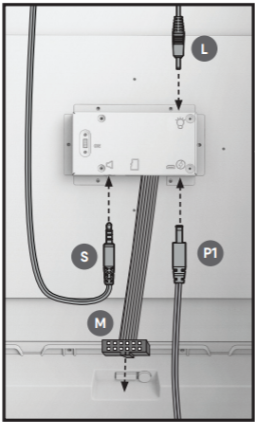
Unplug the ribbon cable in the broken yoke
Unscrew the broken yoke from the cabinet
Unbox the new yoke and place the new yoke/MDF board on to the cabinet
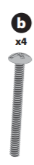
Screw new yoke into the cabinet (4 screws)
Plug in ribbon cable to the back of the control deck
Put back panels back on
Plug in and turn on
READY TO PLAY
Was this article helpful?
That’s Great!
Thank you for your feedback
Sorry! We couldn't be helpful
Thank you for your feedback
Feedback sent
We appreciate your effort and will try to fix the article